Monday, March 8, 2010

How Do I Prepare for a Fire? Part 3

Surviving the Aftermath
A fire isn't limited to smoke and flames. Related problems include water damage from sprinklers or fire hoses, smoke damage, and security breaches. Fire protection means preparing your business for all contingencies, from data recovery to emergency power systems. Consider this:

Smoke damage can destroy paper documents and electronic equipment, like laser printers and hard drives. Due to its unique behavior, smoke damage is often difficult to understand. Like any hot air, smoke migrates to cooler areas and upper levels of a structure, and is not confined to the area affected by the fire. Smoke often flows through plumbing systems, using holes around pipes to go from floor to floor and damaging equipment throughout a building.

What to Do if You Have Smoke Damage
If you have fire insurance, contact your insurance agent for suggestions and advice. If you rent, contact the owner so you both can assess the damage. The restoration process is greatly affected by the type of smoke and smoke damage in a fire. For the fastest possible response, business owners should familiarize themselves with the varieties of smoke damage.

Types of Smoke Damage
Fires create two types of smoke damage — visible soot and invisible odor. Because each fire is different, it's not possible to provide one set of guidelines on how to remove soot and odor.

  • Wet Smoke - Low heat, smoldering, pungent odor, sticky, smeary. Smoke webs are more difficult to clean.
  • Dry Smoke - Fast burning at high temperatures.
  • Protein - Virtually invisible, discolors paints and varnishes. Extreme pungent odor.
  • Fuel Oil Soot - Furnace puff backs cause fuel oil soot.
  • Other Types - Include tear gas, fingerprint powder, and fire extinguisher residue.

Contact a reputable smoke damage repair service in your area, or your local chamber of commerce for more information on smoke damage restoration.

How Do I Prepare for a Fire? Part 2

Creating a Safe Environment
In addition to having the proper fire insurance, it is important to know how to prevent fires in your business. From building fires to forest wildfires, prevention starts with knowing the threats.

  • Familiarize yourself with the buildings around your business. Are there businesses or buildings more highly prone to fire around you?
  • Sprinklers typically reduce chances of fire-related deaths and property loss by one-half to two-thirds. Find out if your neighbors have sprinklers.
  • Contact your local fire department to have your building inspected for fire code compliance.
  • Both direct and indirect threats can be controlled through the creation of a safe environment:
  • Working smoke alarms, fire extinguishers and escape plans are absolutely necessary for the prevention & survival of building fires.
  • A safety zone can protect your building from wildfires. To create a safety zone, make sure your building is separated from flammable materials (like vegetation, refuse or lumber), either by dirt, concrete or other non-flammable material.
  • Remember to have fire drills and practice your evacuation plan at least twice a year.

The Good and Bad of Sprinkler Systems
A properly installed and maintained automatic fire sprinkler system can save lives. Because fire sprinkler systems react so quickly, they can dramatically reduce the heat, flames and smoke produced in a fire.
However, sprinkler systems can also destroy important equipment and documents—and lead to mold and corrosion that can permanently damage your business. Because of this, water damage restoration and dehumidification are important factors in business recovery after a fire. Learn more about dehumidification and controlling water-damage.

How Do I Prepare for a Fire?

Insurance Considerations and Filing Claims
You need more than extinguishers to help your business survive a fire - you need information.

Many companies offer discounted fire insurance rates when security or sprinkler systems are installed in your building. The following suggestions will prepare you to file a claim after a fire:

  • Create (and regularly update) a written inventory of the contents of your business.
  • Videotape or photograph the contents of your business.
  • Engrave larger equipment (servers, photocopiers, etc.) with identifying marks.
  • Photograph or videotape the exterior of your building from several angles.
  • Have special equipment appraised.
  • Keep your insurance policy, inventory, appraisals, photos and videotape records in a secondary location, such as a fire-proof safe or safety-deposit box.
  • Keep other important documents and electronic materials (such as server logs) in a secondary location. Also, remember to update your records periodically — set a specific date each year to review the inventory list and other records.

Thursday, March 4, 2010

Disaster Recovery Tip #9

Who do you depend on?

Now is the perfect opportunity to talk to the businesses and organizations that your company relies on. These could include vendors, suppliers, partners or customers. Take time to evaluate their recovery capabilities following a disaster. Can you count on them to be up and running, back in business as usual, or do they need to work on their own disaster recovery plan? There's no better time than the present to ensure that both of you are prepared, increasing the odds of your mutual success.

Remember, you're only as strong as your weakest link.

Thursday, February 25, 2010

Cleankeys Keyboards 99% bacteria free

Did you know that your run of the mill keyboard is basically a gigantic apartment complex for bacteria? Gross, no? Thankfully there's Cleankeys, a keyboard that bulldozes the bacteria and replaces it with a sleek, sterile touch-sensitive slab.

Wiping a standard keyboard with a disinfecting cloth kills about 5% of bacteria. Cleankeys claims the same test kills 99% of bacteria on their keyboard, simply because they have nowhere to hide.

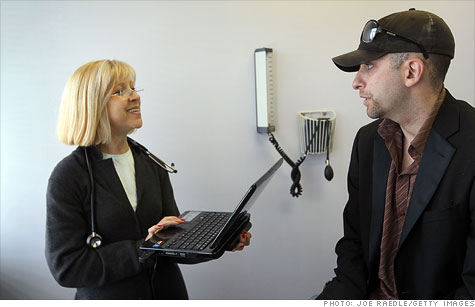
The wireless keyboard trades actual keys for touch-sensitive ones, so in exchange for a much more sanitary experience you'll be giving up that satisfying clickity-clack you've grown accustomed to. It's intended for use at hospitals where keyboard-germs are a serious issue, though I'd imagine it might pique the interest of regular old germaphobes too.

The Cleankeys keyboard includes a trackpad for clicking about and uses patent-pending technology to keep it from registering keystrokes when you're just resting your hands on the thing. That way your doctor doesn't accidentally diagnose you with alsdfjasgyboxicyuixccccccccc.

A molded model costs $400 and a glass version will run you $50 more. No one said your campaign against germs was gonna be cheap. [Clean Keys Inc]